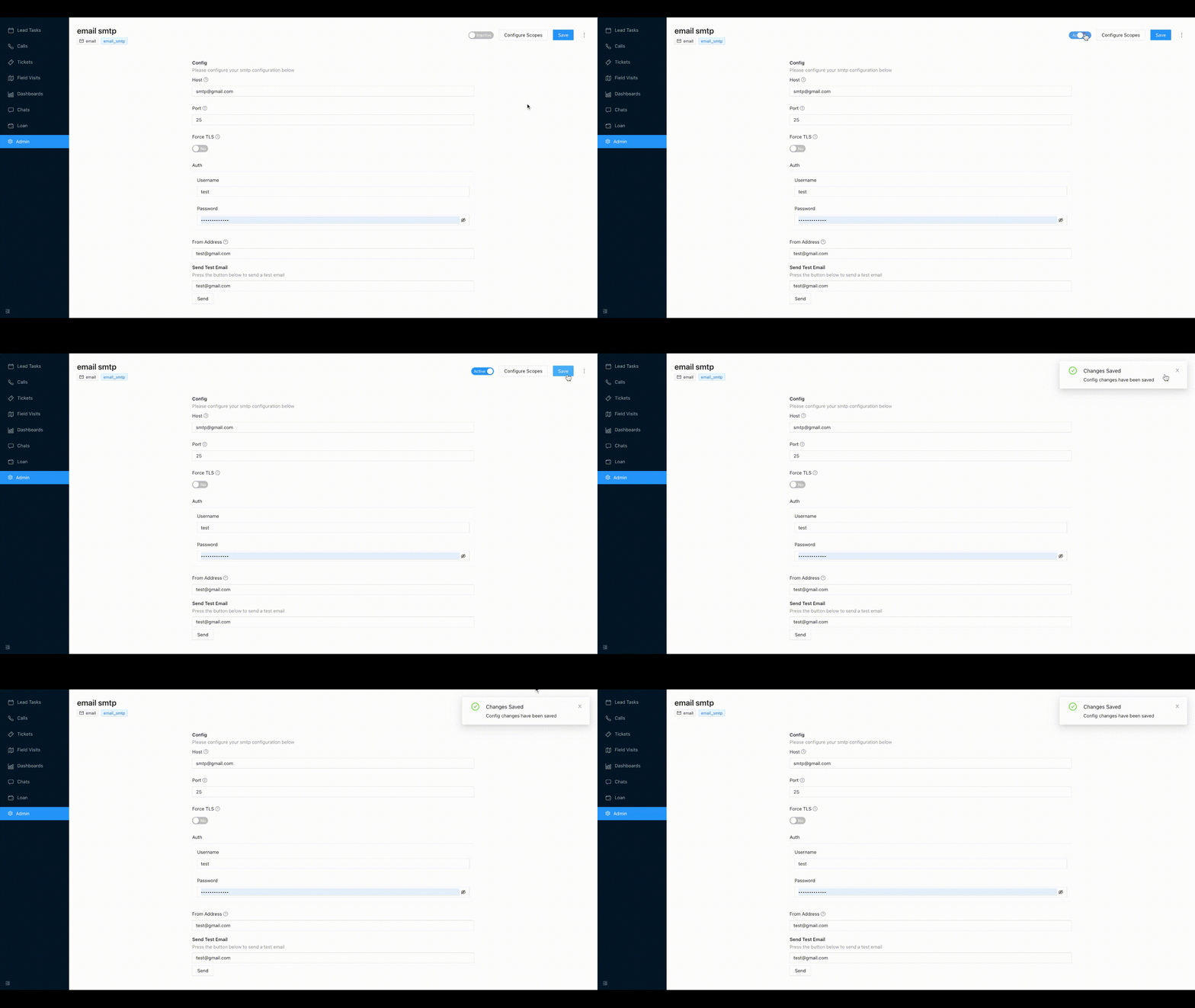
¶ Email SMTP Integration
Data from Email can be ingested on Chakra using the Email plugin.
The integration works in realtime, so whenever a form is filled on the Unbounce landing page, a new entry will be created on Chakra.
¶ Part 1: Create Email SMTP Plugin on Chakra
The plugin can be created by following these steps:
- Go to Admin --> Plugins.
- Click on
Add Pluginand search foremailplugin. - Click on the
Generic SMTP Emailbox. - In the popup that opens, provide the
Plugin Nameand clickSubmit.

- After the plugin is created, the plugin details page opens up.
¶ Part 2: Adding details in the Email plugin
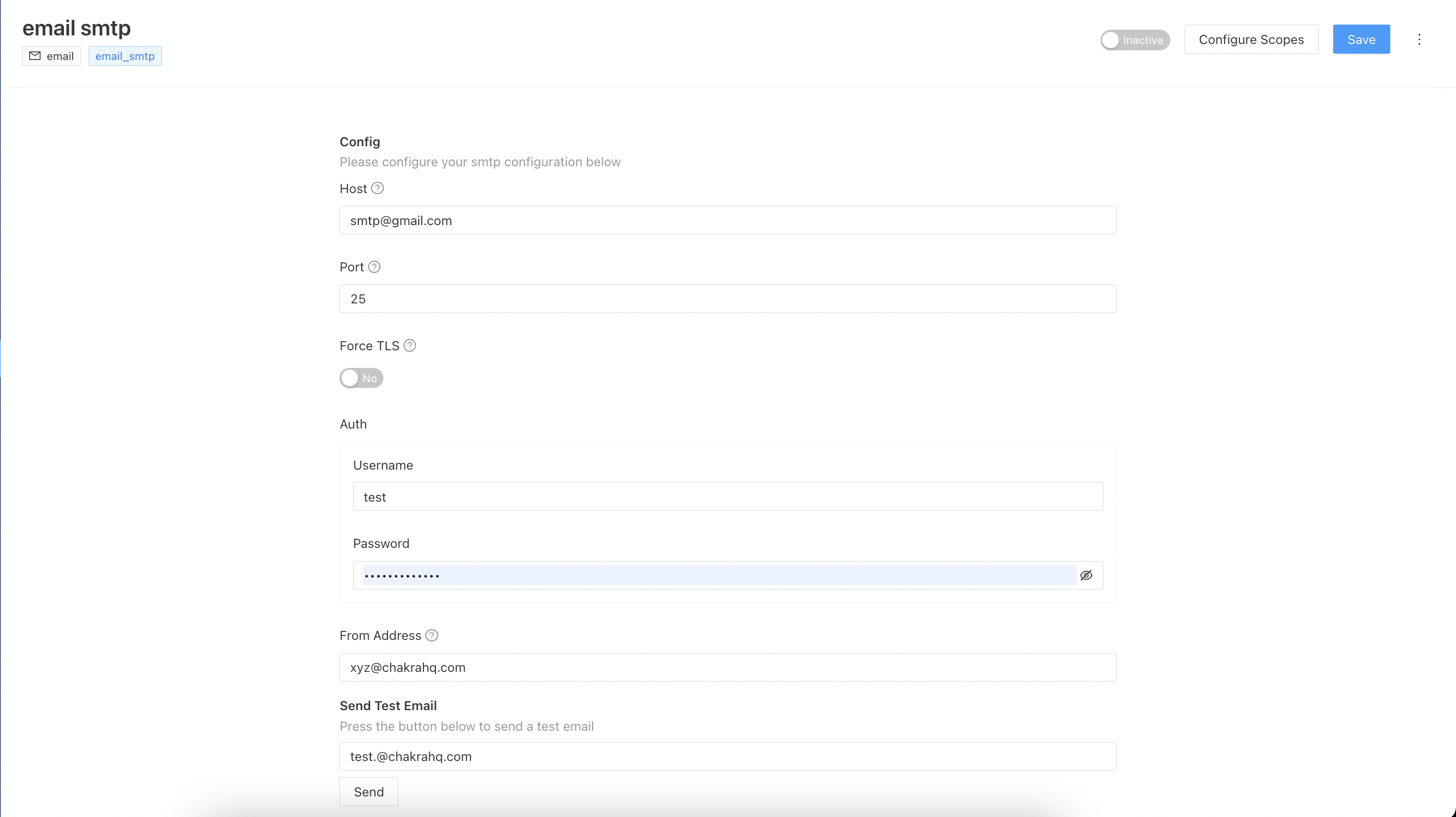
In the plugin's details page, the below details needs to be filled to configure the email.
-
Add the details i.e the
Host Name,Port,Username and Passwordand theFrom Address. Example is shown in the screenshot below -
In the test email, add the 'To'(receiver's) email ie. to whom you want to send and test whether the email is getting sent or not
¶ Part 3: Activate the Plugin on Chakra App
Everything is set up now, to start getting the leads on Chakra, mark the plugin as active.