¶ Shipping - Ecom Express
We can track the order details on chakra by enabling the Shipping - Ecom Express plugin.
¶ Part 1: Create Shipment Plugin
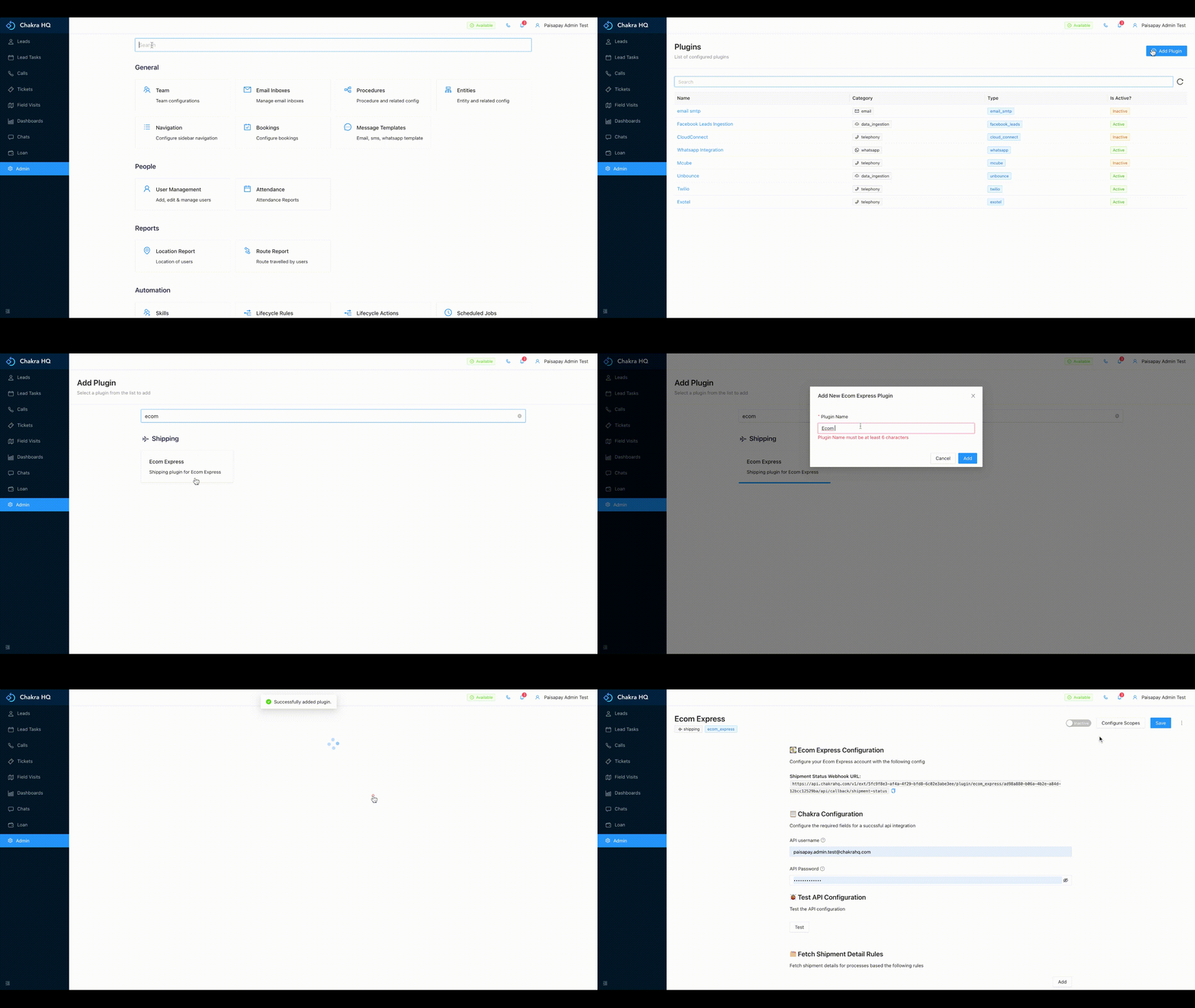
- Go to Admin --> Plugins.
- Click on
Add Pluginand search forEcom Expressplugin. - Click on the
Ecom Express. - In the popup that opens, provide the
Plugin Nameand clickSubmit. - After the plugin is created, the plugin details page opens up.
¶ Part 2: Adding the details in the plugin
The details in the plugin can be added by:
- Add the username and password of your Ecom Express Account
- Click on the
Testbutton under Test API Configuration to test. - Add the attribute present on chakra which has the shipment AWB number
- The above can be done by clicking on
AddunderFetch Shipment Detail Rules
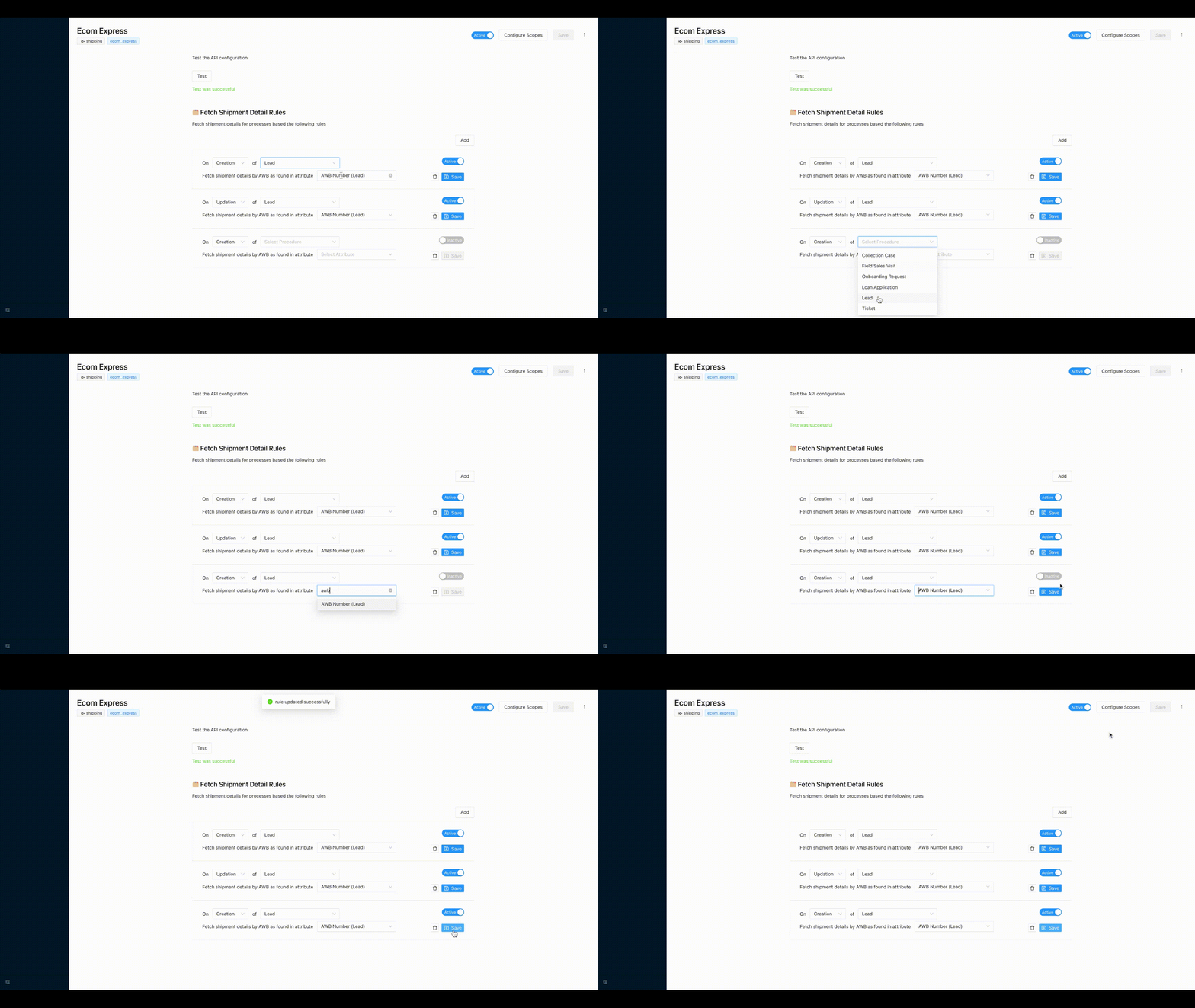
- We need to add two rules for the same attribute i.e while creating any lead and second on updation of the lead
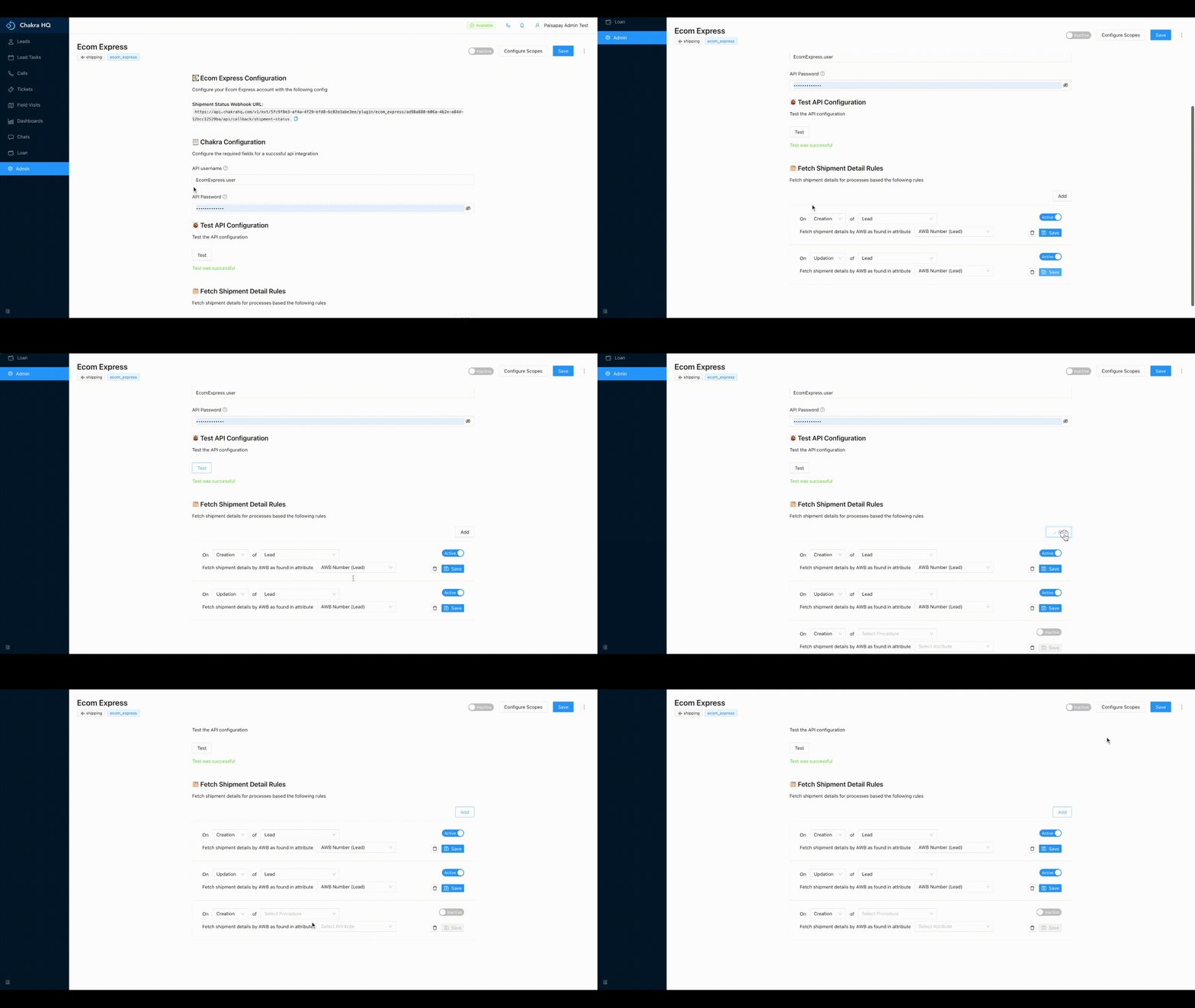
¶ Part 3: Activate the Plugin on Chakra App
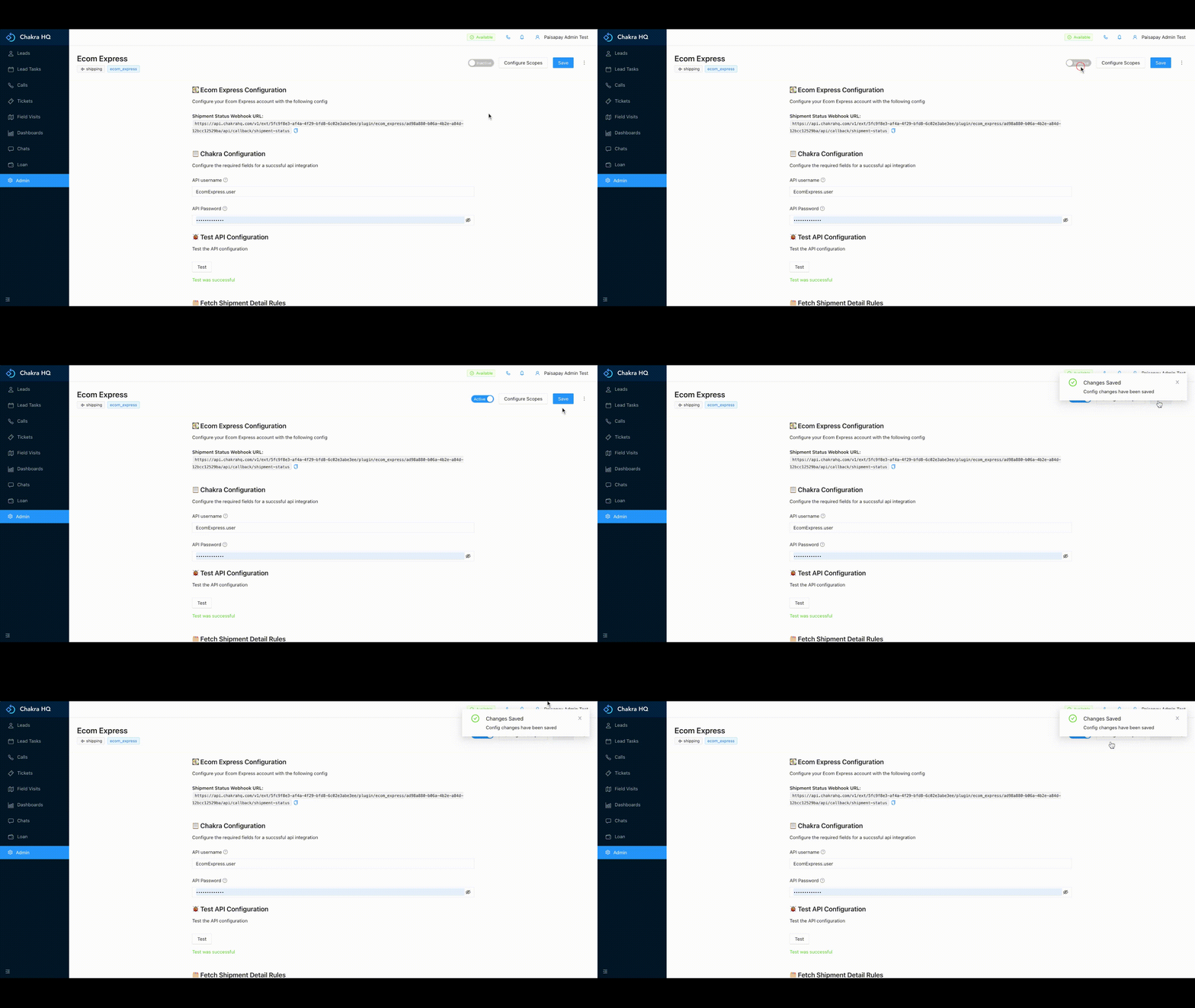
Everything is set up now, to start getting the leads on Chakra, mark the plugin as active.
¶ Part 4: Checking the shipment details
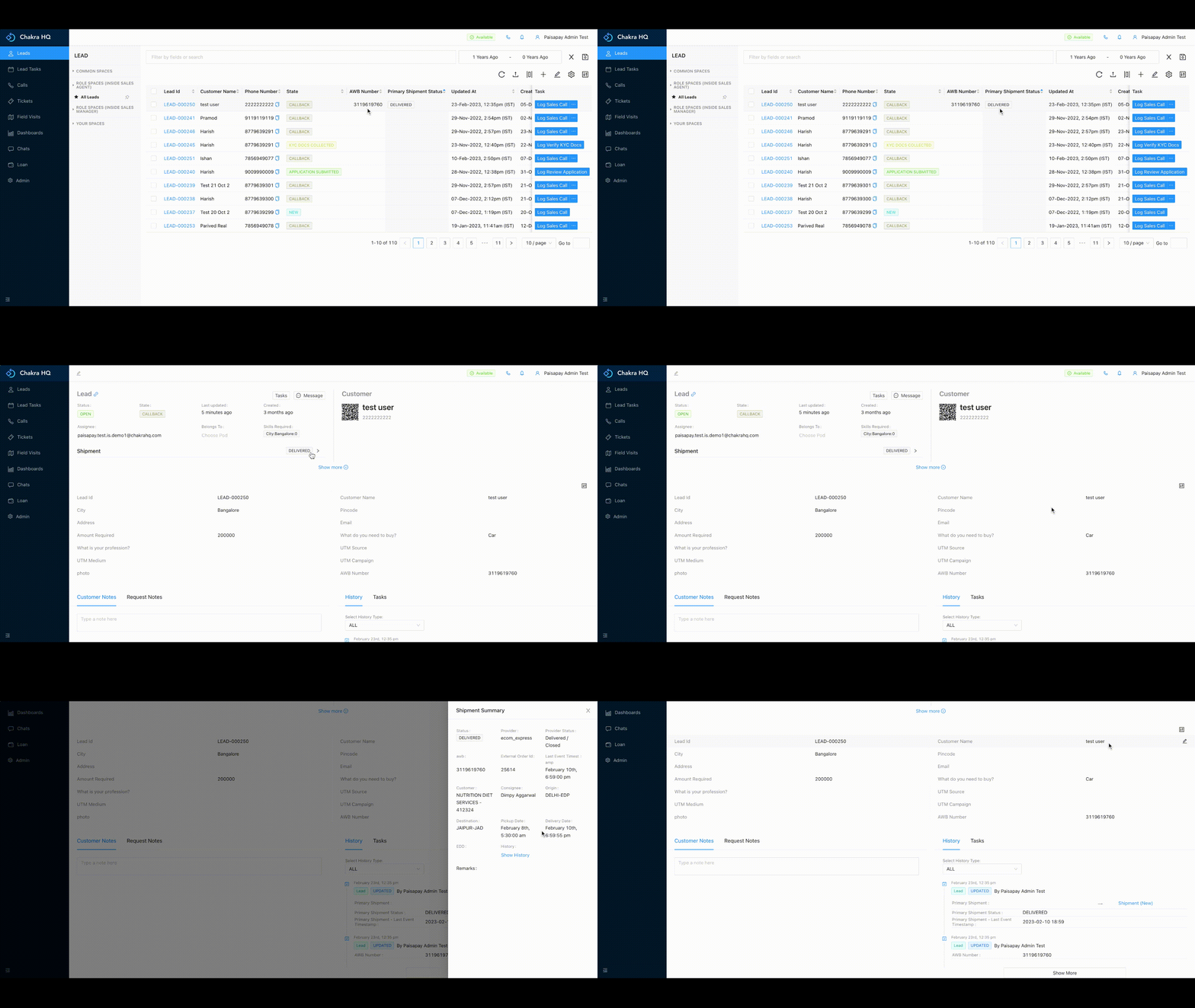
The order details can be check for a lead from lead details page and from the process list. You can check it by:
- Go to the process list
- In the process list you can see the
Primary Shipment Statuscolumn in the table which shows the status of the shipment - Click on the
LeadID(to go to the lead details page) for which you want to see the shipment details - In the details page,
Shipmentsection andprocess historyyou can see hte details of the shipment