¶ Time formats on chakra
This document wil give the information of the time formats used on chakraa for different attributes.
- To schedule the time attribute for next x minutes sample: @(now+30m/m)
- To schedule the time attribute for next x hours sample: @(now+16h/h)
- To schedule the time attribute for next x days sample: @(now+1d/d)
- To schedule the time attribute for next x months sample: @(now+1M/M)
¶ Date Format/Pattern
This information was copied from DateTimeFormatter
Symbol |
Meaning |
Presentation |
Examples |
|---|---|---|---|
| G | era | text | AD; Anno Domini; A |
| u | year | year | 2004; 04 |
| y | year-of-era | year | 2004; 04 |
| D | day-of-year | number | 189 |
| M/L | month-of-year | number/text | 7; 07; Jul; July; J |
| d | day-of-month | number | 10 |
| Q/q | quarter-of-year | number/text | 3; 03; Q3; 3rd quarter |
| Y | week-based-year | year | 1996; 96 |
| w | week-of-week-based-year | number | 27 |
| W | week-of-month | number | 4 |
| E | day-of-week | text | Tue; Tuesday; T |
| e/c | localized day-of-week | number/text | 2; 02; Tue; Tuesday; T |
| F | week-of-month | number | 3 |
| a | am-pm-of-day | text | PM |
| h | clock-hour-of-am-pm (1-12) | number | 12 |
| K | hour-of-am-pm (0-11) | number | 0 |
| k | clock-hour-of-am-pm (1-24) | number | 0 |
| H | hour-of-day (0-23) | number | 0 |
| m | minute-of-hour | number | 30 |
| s | second-of-minute | number | 55 |
| S | fraction-of-second | fraction | 978 |
| A | milli-of-day | number | 1234 |
| n | nano-of-second | number | 987654321 |
| N | nano-of-day | number | 1234000000 |
| V | time-zone ID | zone-id | America/Los_Angeles; Z; -08:30 |
| z | time-zone name | zone-name | Pacific Standard Time; PST |
| O | localized zone-offset | offset-O | GMT+8; GMT+08:00; UTC-08:00; |
| X | zone-offset Z for zero | offset-X | Z; -08; -0830; -08:30; -083015; -08:30:15; |
| x | zone-offset | offset-x | +0000; -08; -0830; -08:30; -083015; -08:30:15; |
| Z | zone-offset | offset-Z | +0000; -0800; -08:00; |
| p | pad next | pad modifier | 1 |
| ' | escape for text | delimiter | " |
| single quote | literal | ' | [ |
| optional section start | ] | optional section end | # |
| reserved for future use | { | reserved for future use | } |
¶ Actions date format in chakra
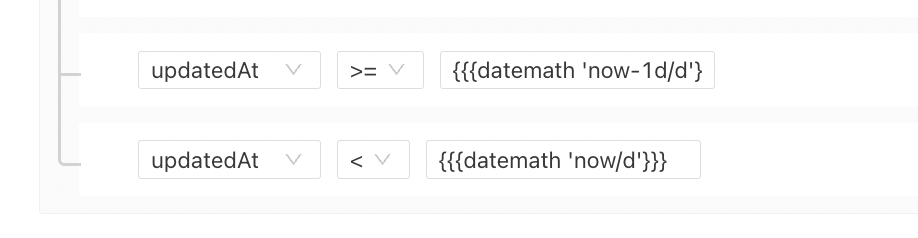
If any user want to add any date format for the updatedAt or createdAt attribute in Lifecycle Actions then we use datemath then the format which we want . Suppose we want to add the condition as updatedAt > yesterday then the format will be updatedAt > {{{datemath 'now-1d/d'}}}
¶ Format to delay any lead allocation
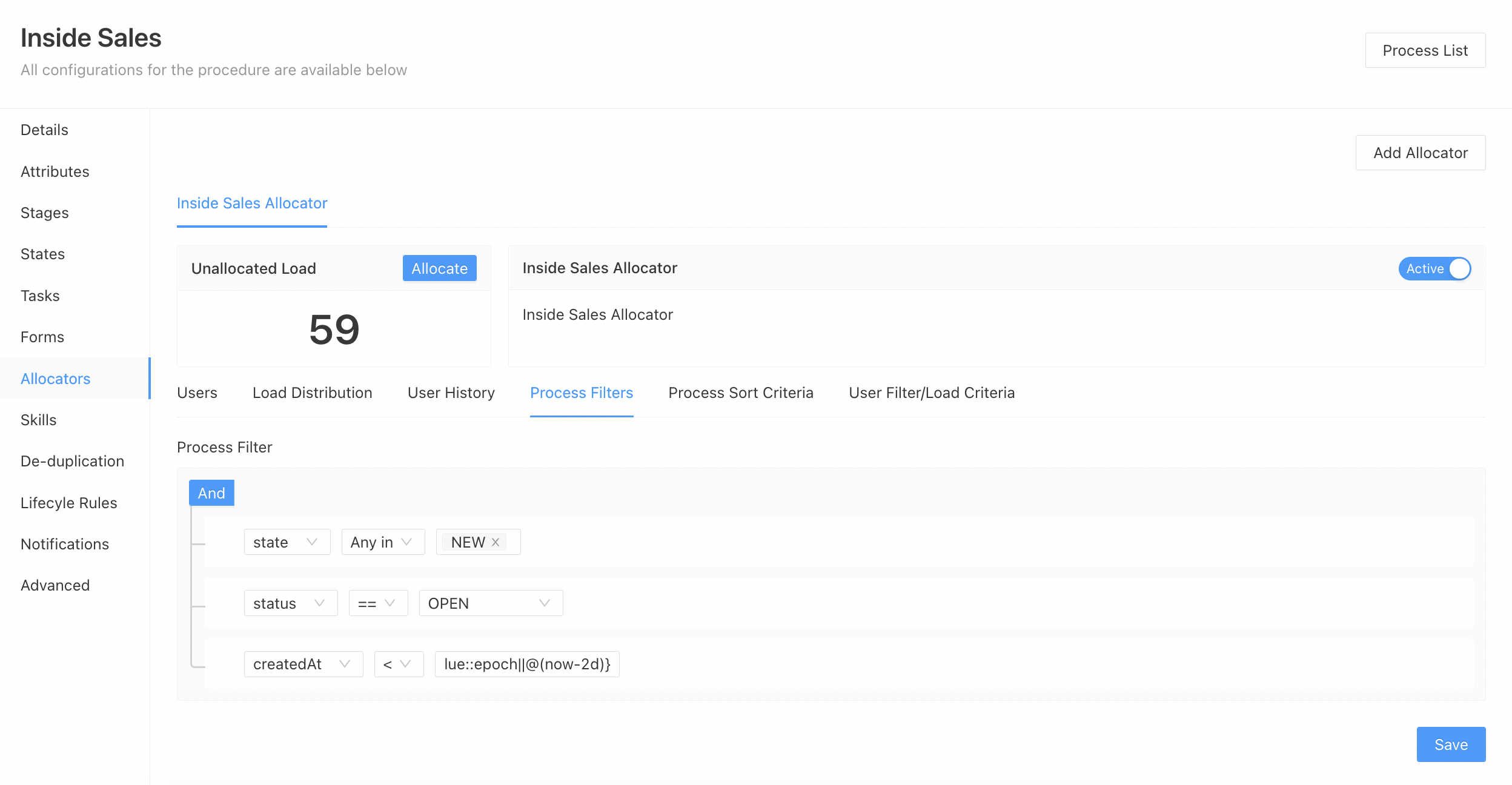
This condition can be added in the allocator if you want to delay the lead allocation. The below steps can be used to add the conditions:
- Go to
Admin-->Procedures-->Select the procedure for which you want to change the allocation - Select the
Allocatorssection - Go to
Process Filters - Suppose we want to delay the allocation by 2 days then we will add the condition as
createdAt < ${novalue::epoch||@(now-2d)}